How to Withdraw
When you withdraw, the touring posts, quick posts, and gadget info you have posted, along with their associated geographic information and images, will no longer be viewable. Your account and data cannot be restored after withdrawal. Please decide carefully.
How to Withdraw
Open Withdrawal within account settings.
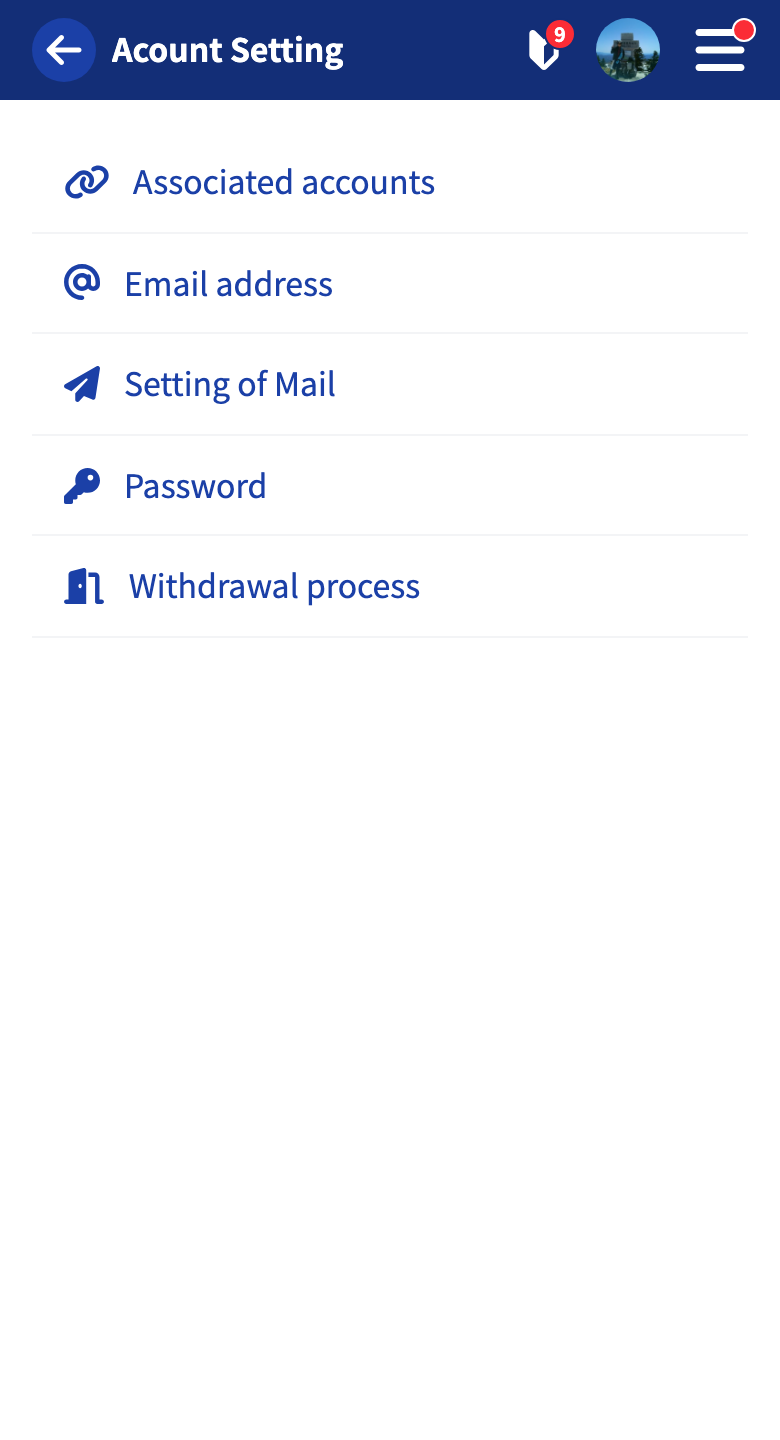
A screen for choosing a withdrawal reason is shown. To help us improve the service, please select a reason if you don’t mind (this is optional).
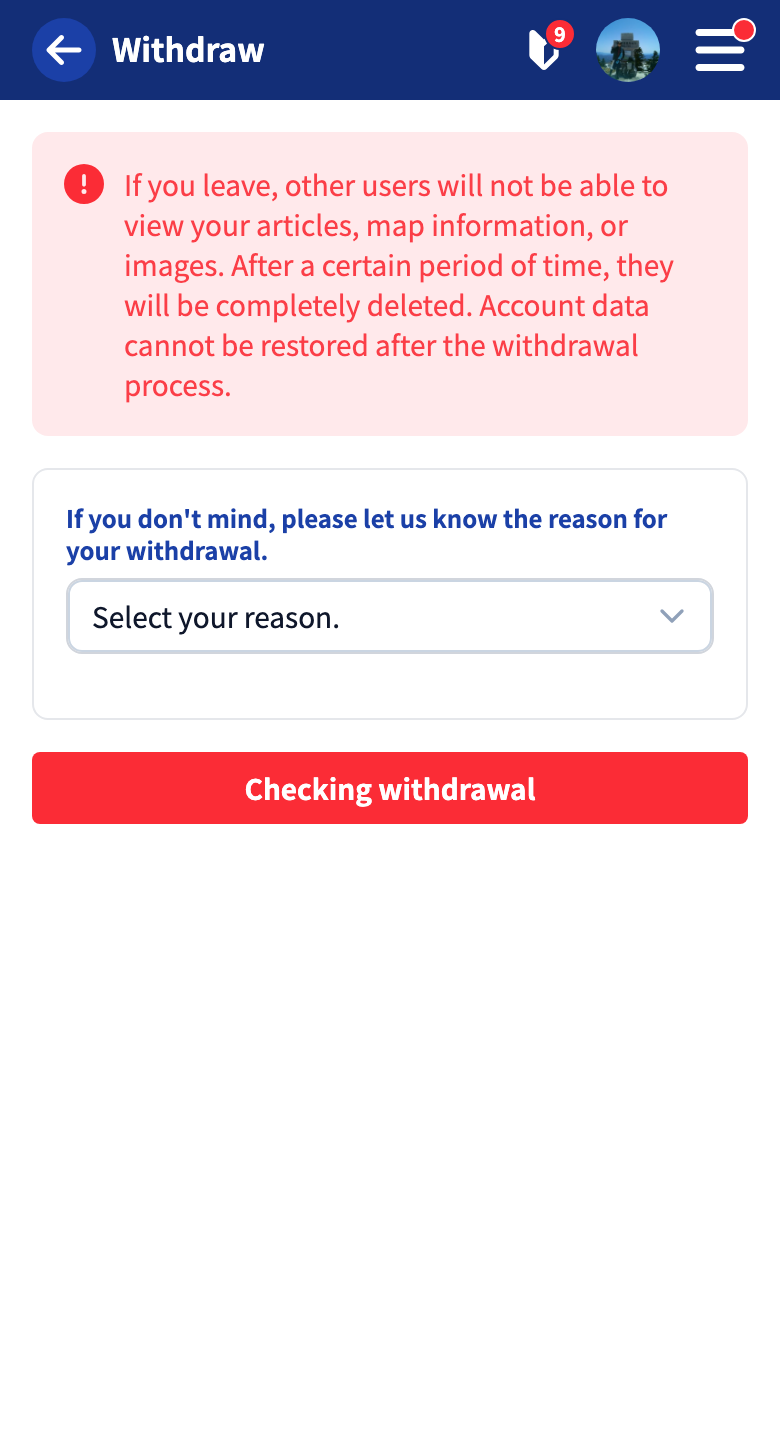
Tap “Confirm withdrawal.”
When the final confirmation dialog appears, check “I understand that my account and posts cannot be restored” and tap “Withdraw” to run the withdrawal process.
After Withdrawal
- Your posts (touring posts / quick posts / gadget info) and their associated geographic information and images will no longer be viewable.
- Routes that other users have copied using “Copy geographic information” remain as the copying user’s data.
- You can register again with the same email address after withdrawing, but your past data will not come back.
The content you enter for the withdrawal reason (reason and details) is retained for the purpose of improving the service. For how your posts and personal information are handled, see the Privacy Policy.
Tutorials
- Quick Start
Getting started with RouteShare
- Explore
List, map, and article views
- Account
Sign up, login, profile, settings
- Create
Quick posts, touring posts, gadget articles
- Planning
Create, share, and copy touring plans
- Tracking
Recording and editing tracks
- Teams
Create and join teams, team posts and chat
- Actions
Likes, comments, follows
- Manage
Managing your posts