Private Mode (Use RouteShare Just for Yourself)
When you want to use RouteShare just as your own record, turn on private mode. Your posts become invisible to other people, and interactions with other users (Nice, comments, messages) are disabled.
What you can and cannot do in private mode
| Private mode on | |
|---|---|
| Your posts | Only you can see them. They still appear in your own lists, search results and timelines, but not in other people’s, and other people cannot open them by URL. This also applies to “shared by URL” posts and shared touring plan URLs |
| Your profile | Other people cannot open it. You do not appear in user search or in follow/follower lists |
| Viewing, saving and copying geographic information from other people’s posts | Available |
| Following other people | Available, but the other person is not notified |
| Nice Route / Nice Gadget and comments on other people’s posts | Not available (the buttons are disabled and the comment section is hidden) |
| Messages | You cannot send messages. Existing conversations are hidden from both you and the other person (they reappear when you turn private mode off) |
| Teams | You cannot create or join teams. Before turning private mode on, you must disband any team you own and leave any team you belong to |
Turning private mode on does not reset the Nice and save counts you have received. When you turn it off, your posts and messages are shown again exactly as before (nothing is deleted or recreated).
Choosing right after registration
The profile setup step of the guide shown after registration has a “Use in private mode” checkbox. Check it and tap “OK” to apply. Leave it unchecked to publish your posts as usual. You can change it later from the account settings.
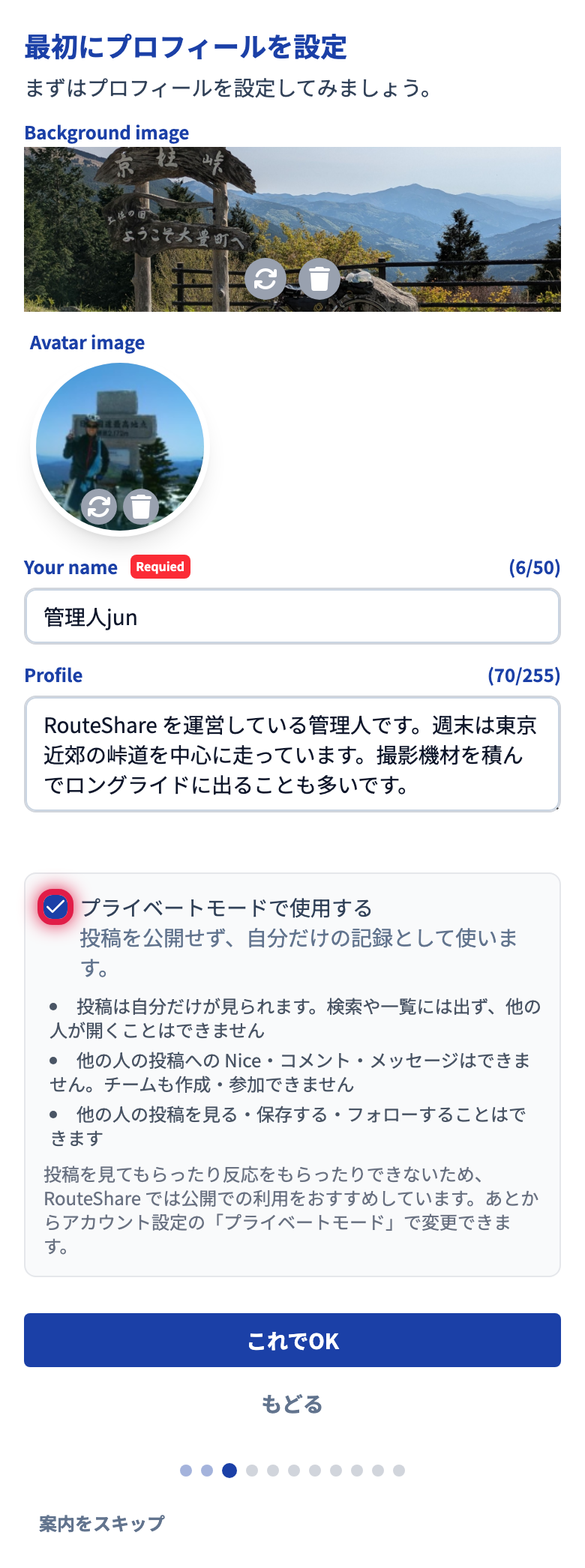
Because nobody can see or react to your posts in private mode, RouteShare recommends using it publicly.
Switching from the account settings
- Open Account settings
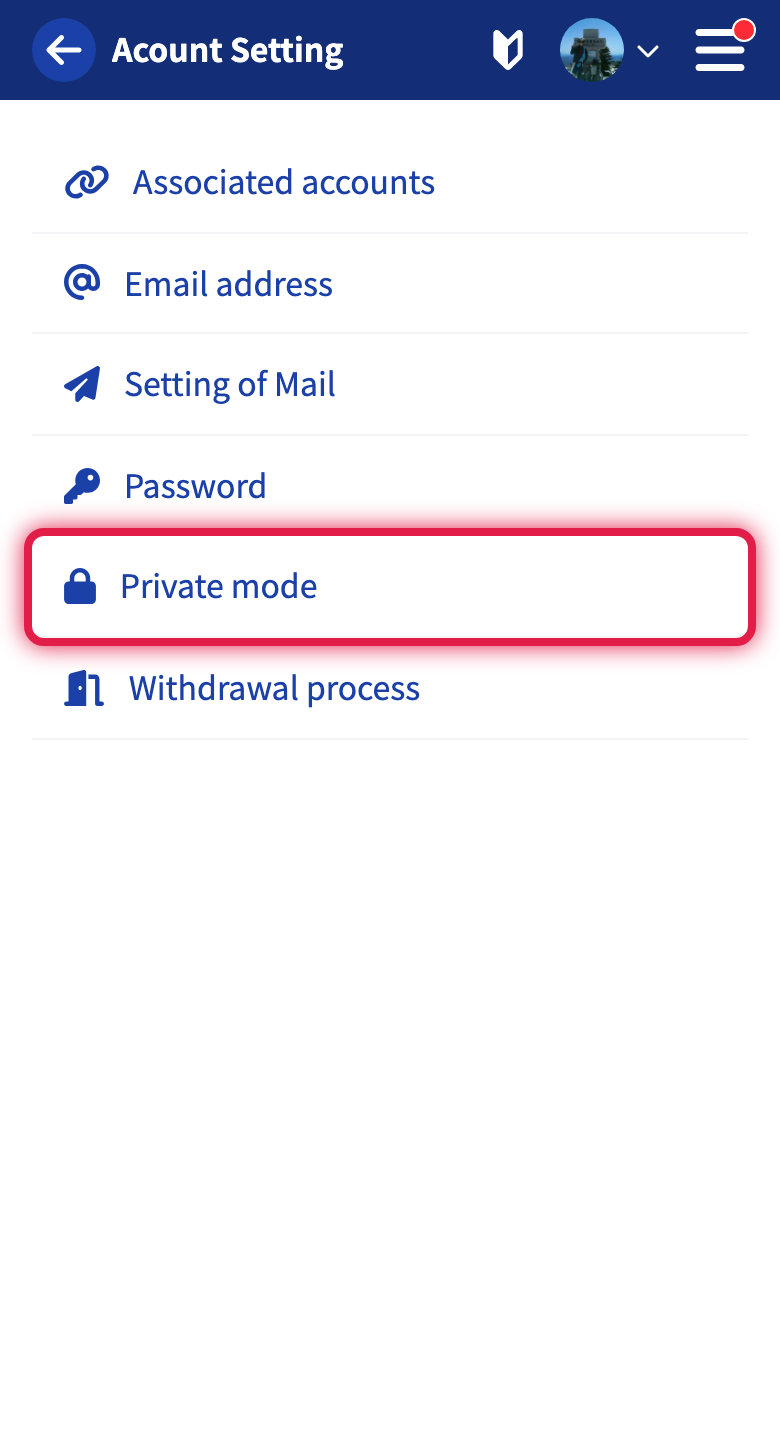
- Tap “Private mode”
- Turn the switch on (or off) and tap “Update”
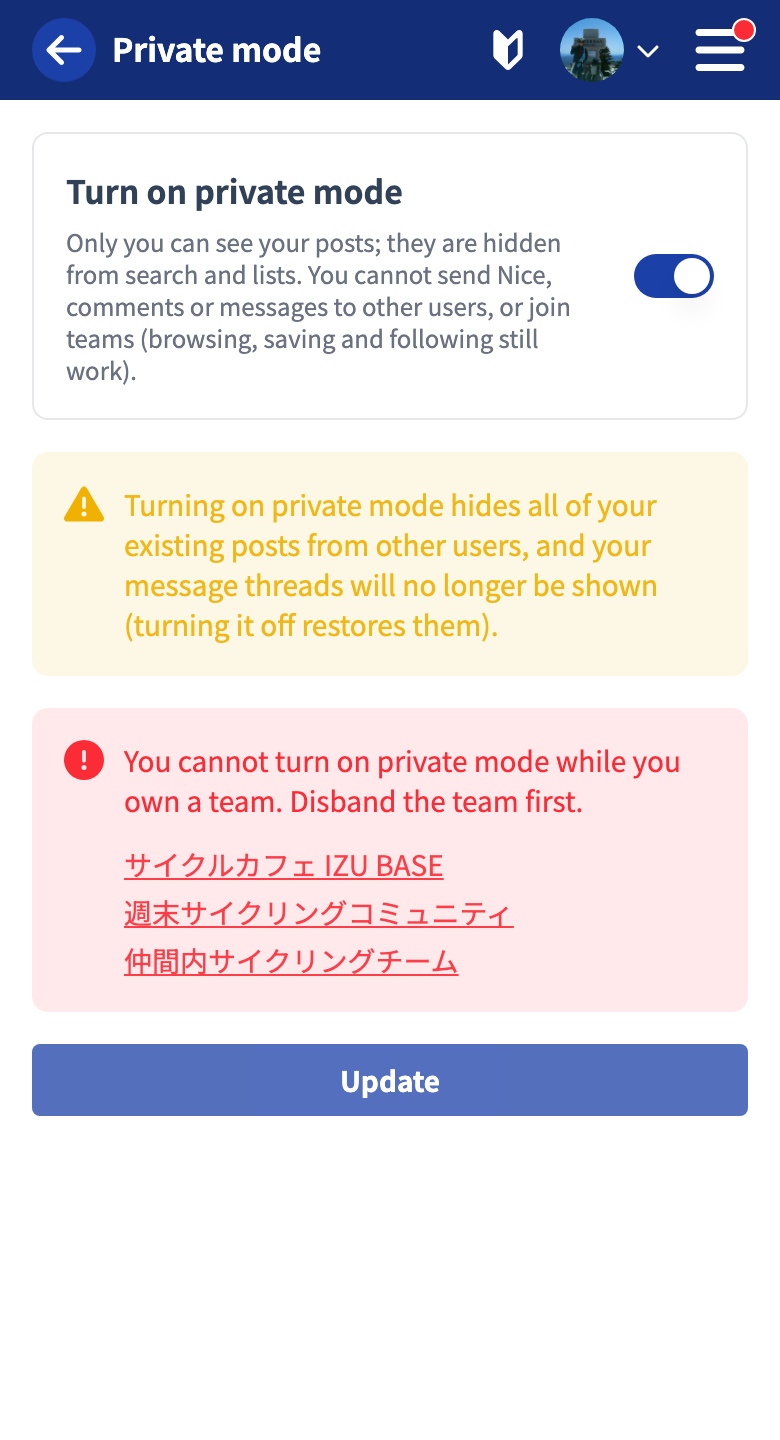
When turning it on, a notice reminds you that your published posts will no longer be visible to other people.
You cannot turn it on while you have a team
Private mode cannot be turned on while you own a team or belong to one. The screen lists the teams in question, so disband or leave the team first and try again. When you turn it on, pending team invitations sent to you and join requests you have sent are cancelled.
How things look while it is on
A “Private mode” mark appears next to your name on your page. On other people’s posts, the Nice Route / Nice Gadget and comment buttons are disabled and the comment section is hidden. The message entry points (the button on your page and the envelope button on other people’s profiles) are also hidden.
Tutorials
- Quick Start
Getting started with RouteShare
- Explore
List, map, and article views
- Account
Sign up, login, profile, settings
- Create
Quick posts, touring posts, gadget articles
- Planning
Create, share, and copy touring plans
- Tracking
Recording and editing tracks
- Achievements
Earning and viewing exploration achievements
- Teams
Create and join teams, team posts and chat
- Actions
Likes, comments, follows
- Manage
Managing your posts