Crossed Paths (See Who You Rode Past)
Crossed Paths lets you find out, after the ride, which RouteShare users you rode past on a day you recorded with tracking.
When does someone appear?
On a day when both of you were recording with tracking, you count as having crossed paths if you passed within 100 m of each other several times, less than 90 seconds apart. That covers riders coming the other way, riders you overtook, riders you rode with, and riders you met at an intersection.
- Results are updated every 3 hours, so the list fills in during the day. Records uploaded later are included too
- Your route and location are never shared. Only your name appears in the other rider’s list
- Stationary users, such as someone resting or at home, record very few points and are rarely matched
Seeing who you crossed paths with
- Open Tracking Management and go to the “Records” tab
- In the calendar, pick a day with a small dot under the date. The dot marks days with a match
- “Riders you crossed paths with” appears above the map. Open it to see the list
Riders you were near for longer are listed first. Tap a name to open their profile, or tap Follow to follow them right away. When you follow from this list, the other rider is notified that you followed them from the ride you crossed paths on that day.
Notifications
When new riders are found, you get a notification: “It looks like you crossed paths with ◯◯ on your ride. Take a look!” (or “crossed paths with ◯ riders” when there are several). Tapping it opens the Records tab for that day. No notifications are sent between 11 pm and 8 am (Japan time); they arrive in the morning instead.
Turning Crossed Paths off
Crossed Paths is on by default. Turn it off if you do not want to appear in other riders’ lists.
- Open Account settings
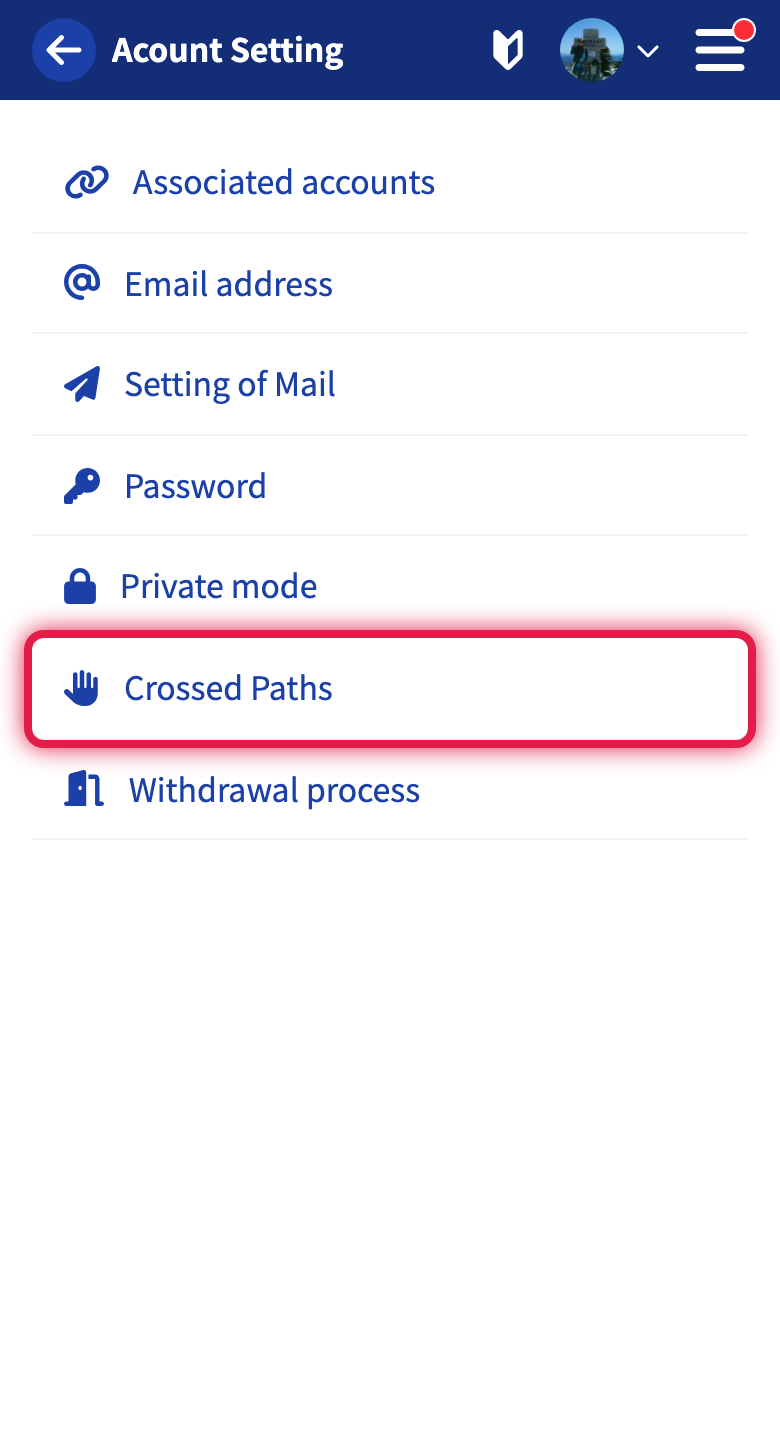
- Tap “Crossed Paths”
- Turn the switch off and tap “Update”
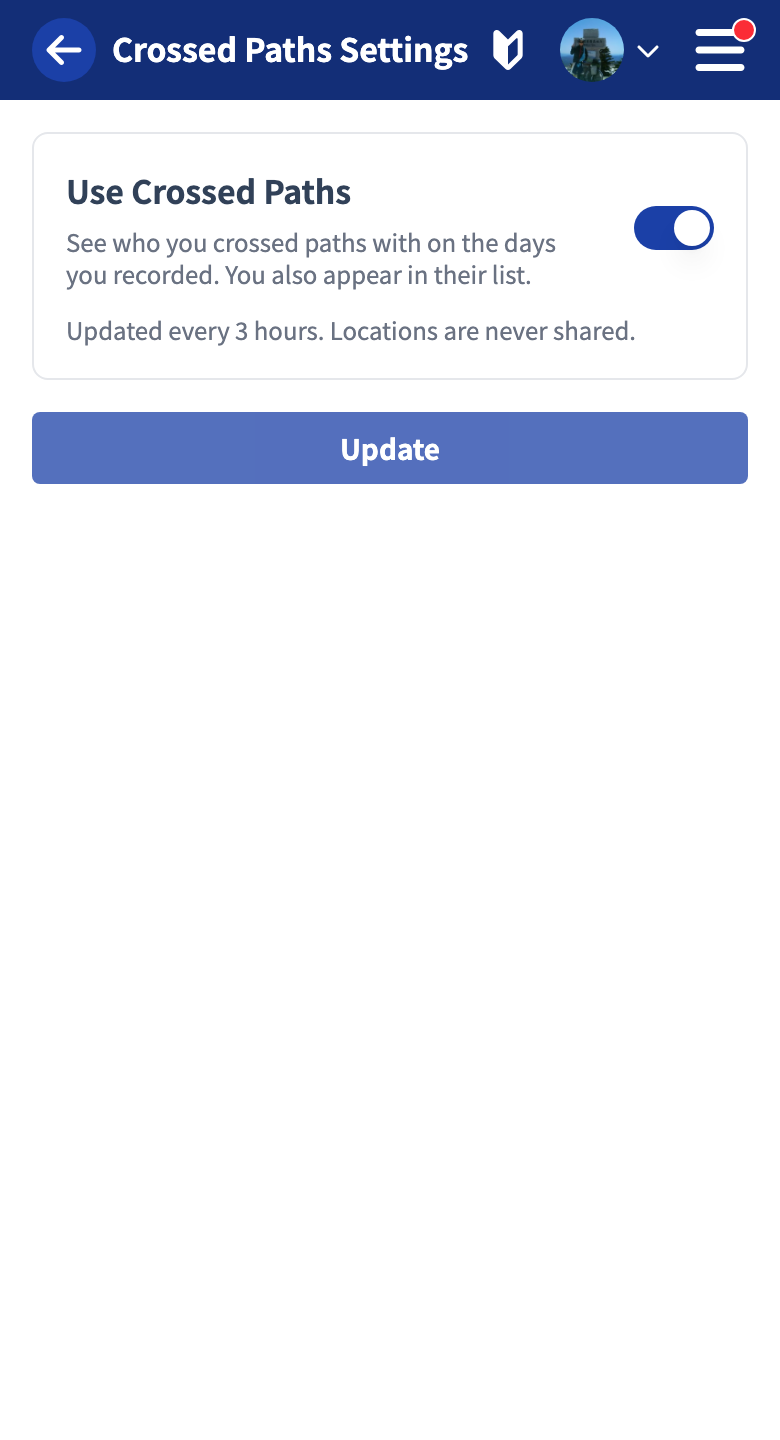
While it is off, you do not appear in anyone’s list and you cannot see who you crossed paths with (no notifications either). Turn it back on and the lists, including past days, are shown again.
While private mode is on, Crossed Paths is unavailable regardless of this setting, and you do not appear in anyone’s list.
Tutorials
- Quick Start
Getting started with RouteShare
- Explore
List, map, and article views
- Account
Sign up, login, profile, settings
- Create
Quick posts, touring posts, gadget articles
- Planning
Create, share, and copy touring plans
- Tracking
Recording and editing tracks
- Achievements
Earning and viewing exploration achievements
- Teams
Create and join teams, team posts and chat
- Actions
Likes, comments, follows
- Manage
Managing your posts