Creating a Touring Plan
A touring plan takes just a few steps. Create a plan from the list, add a map, a title, and a memo, and share it.
Create a New Plan
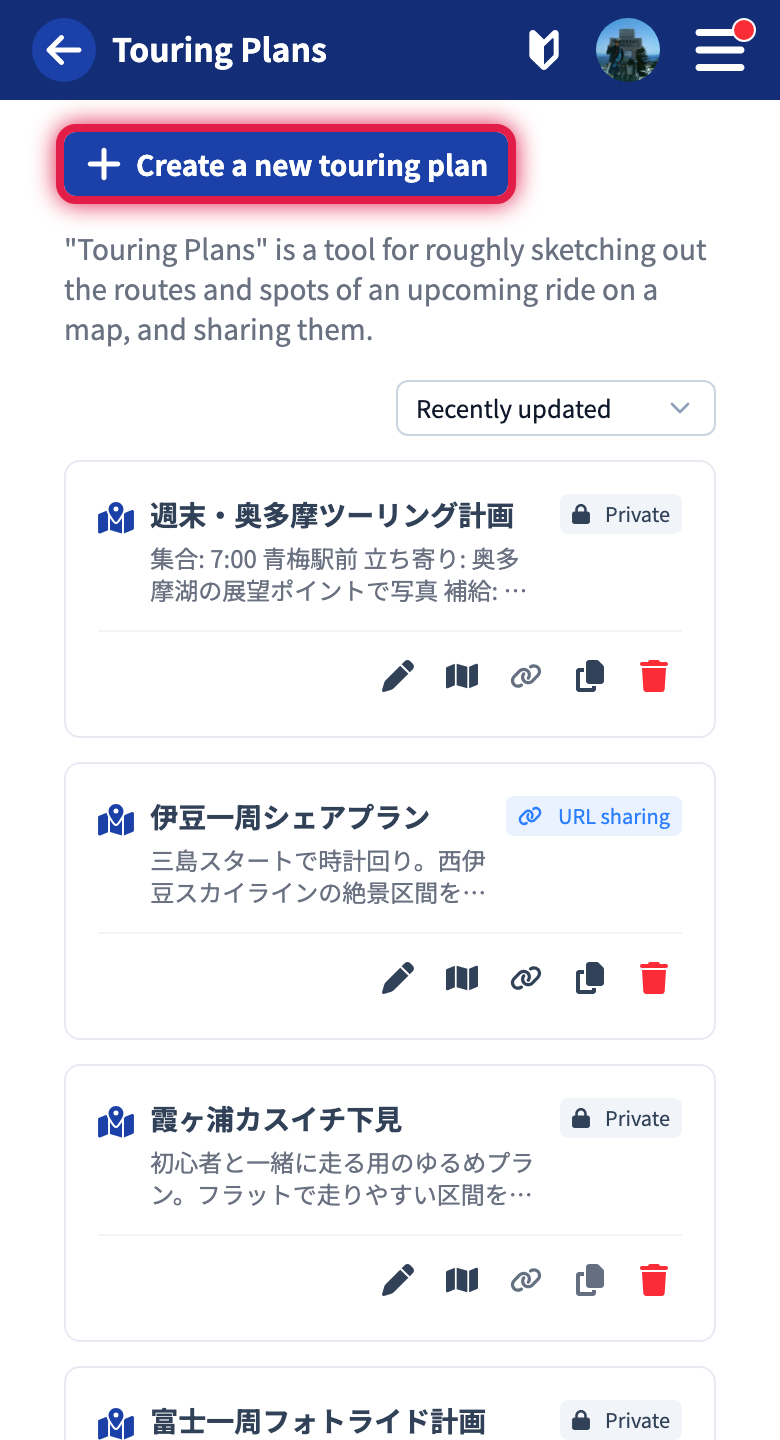
On the touring plans list, tap “Create a new touring plan.” The plan is created right away and the editor opens. A new plan is added to the list as private.
The Editor
The editor has two tabs: “Geographic Info” and “Title & Settings.”
Geographic Info Tab
Place the routes you want to ride and the spots you want to visit on the map.
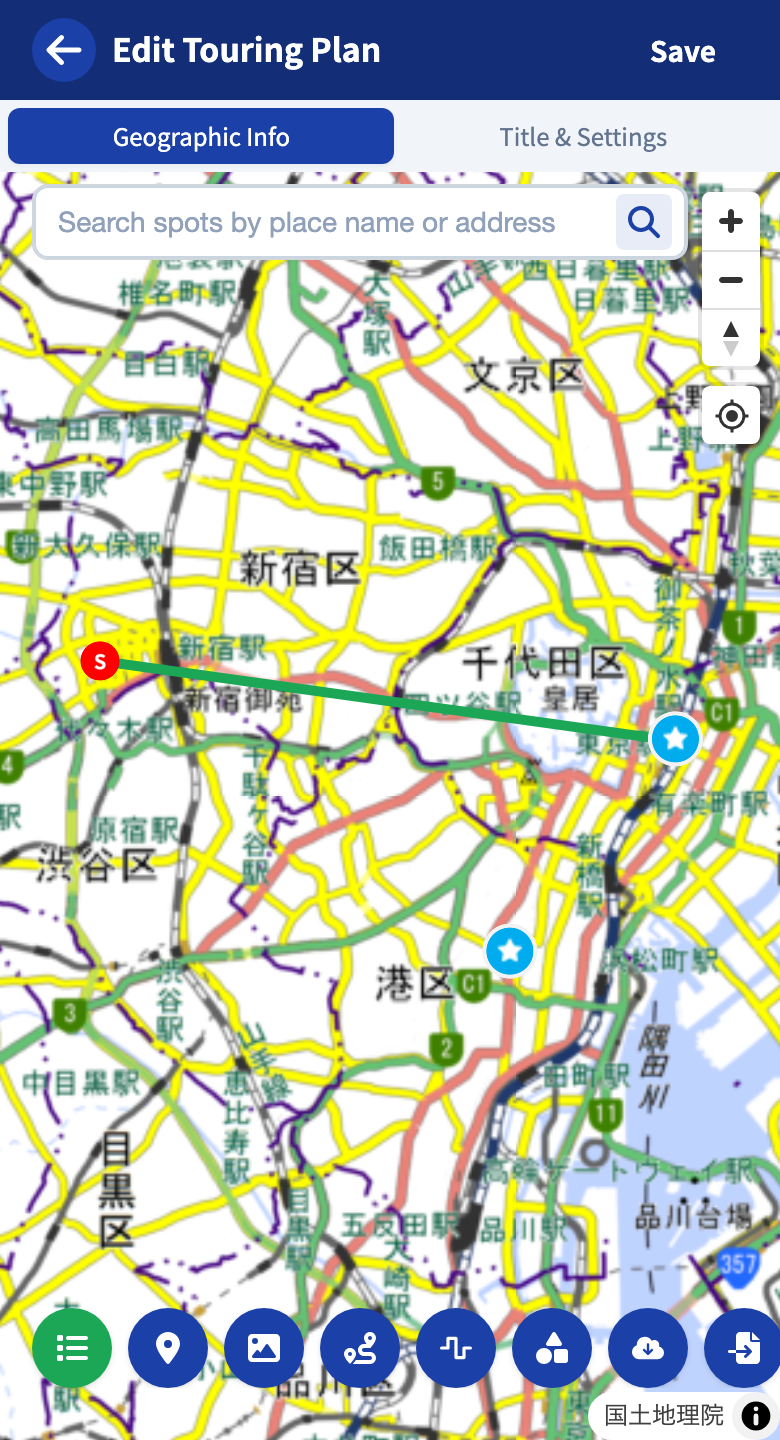
For detailed map operations, see Using the map editor. Adding spots, drawing lines, managing layers — you get the same map features as in posts.
Title & Settings Tab
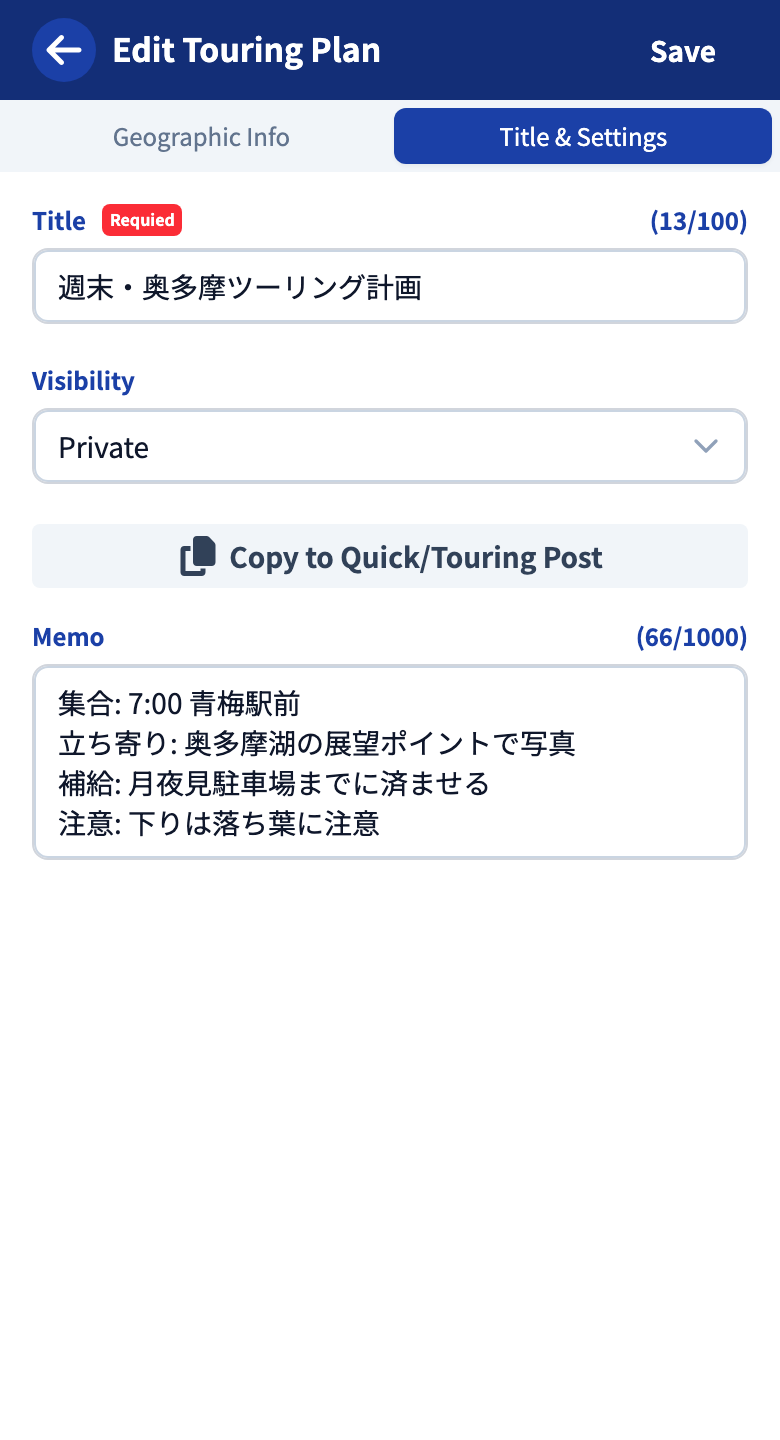
Enter the title, visibility, and memo.
| Item | Details |
|---|---|
| Title | Required. Up to 100 characters. The remaining count is shown in the field |
| Memo | Optional. Up to 1,000 characters. Write meeting points, stops, things to watch out for |
| Visibility | Choose “Private” or “URL sharing” |
Visibility
| Setting | Details |
|---|---|
| Private | Visible only to you |
| URL sharing | Visible only to people who have the share link |
When you save with “URL sharing,” a share link is issued. Tap the link to copy it, and hand it to your friends so they can view the plan.
Save
When you are done, tap “Save” at the top right. You cannot save while the title is empty.
Actions From the List
Your plans appear as cards on the list. Each card offers the following actions.
| Icon | Action |
|---|---|
| Pencil | Open the editor |
| Map | Open the viewer |
| Chain | Copy the share link. Not available for private plans |
| Copy | Copy the map content to another post or plan. See Copying to other posts |
| Trash | Delete the plan |
At the top right of the list you can sort by “Recently updated” or “Oldest updated.”
Tutorials
- Quick Start
Getting started with RouteShare
- Explore
List, map, and article views
- Account
Sign up, login, profile, settings
- Create
Quick posts, touring posts, gadget articles
- Planning
Create, share, and copy touring plans
- Tracking
Recording and editing tracks
- Teams
Create and join teams, team posts and chat
- Actions
Likes, comments, follows
- Manage
Managing your posts